

Right, let’s talk about the ad format that quietly sells more product than any other and still gets set up wrong by half the stores running it. Here’s the short version before I get into it.
Google Shopping ads are the cheapest high-intent traffic an online store can buy. Across the major datasets, Shopping clicks land somewhere between AUD $0.59 and $0.95, against roughly AUD $7.80 for the all-industry Search average. The catch is that Shopping campaigns have no keywords. Google decides when your products show based on your product feed. Which means the feed, not the bids, decides whether Shopping ads print money or burn it. Get the feed and the structure right and the results compound.
Everything below is how that actually gets done.
Google Shopping ads at a glance
| Metric | Benchmark (AUD) |
|---|---|
| Shopping CPC (global datasets) | $0.59 to $0.95 |
| Shopping CPC (our AU client accounts) | $0.30 to $1.50 |
| Search CPC (all industries) | ~$7.80 |
| Shopping click-through rate | 0.86% |
| Shopping conversion rate | 1.91% |
| Shopping cost per conversion | ~$56 |
| Sensible starting budget (AU store) | $2k to $5k/month ad spend |
Sources: smec Q1 2026 (€650M+ of European ecommerce spend), LocaliQ data across $2.8B in spend (Q1 2026), Store Growers (January 2026). Converted at USD $1 = AUD $1.44 and €1 = AUD $1.64, July 2026. Global panels, so treat them as a compass, not a promise. Your numbers move with your margins, your price point and your category. A 2.5X ROAS on 60% margin jewellery beats a 3.8X on 30% margin electronics every day of the week.
What are Google Shopping ads?
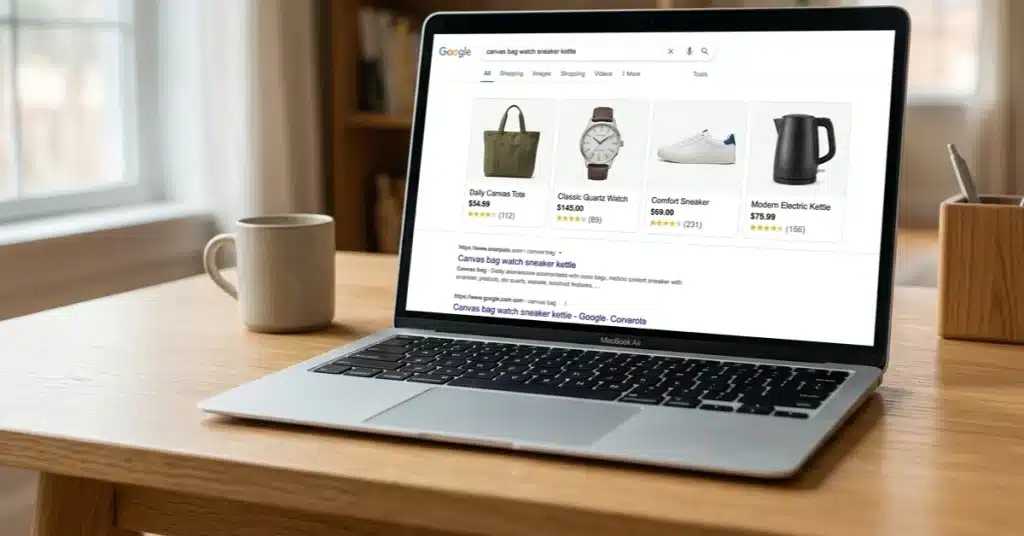
Google Shopping ads are the product tiles with an image, price and store name that appear at the top of Google when someone searches for a product. They pull everything from a product feed you submit through Google Merchant Centre, and unlike Search ads, there are no keywords. Google matches searches to your products based on your product titles, descriptions and feed data.
That last bit is the whole game. In a Search campaign you tell Google which searches you want. In Shopping, Google reads your feed and decides for you. A product titled “The Weekender” gives Google nothing to work with. A product titled “Canvas Weekender Bag 40L Olive” shows up when someone searches exactly that.
Your feed is your keyword list. Most stores never treat it like one.
How much do Google Shopping ads cost in Australia?
You set the budget, so Shopping ads cost whatever you decide to spend. The useful question is what a click costs, and here’s what the biggest ecommerce datasets say, converted to Australian dollars.
smec’s Q1 2026 analysis of more than €650M in European ecommerce spend puts the median Shopping CPC at roughly AUD $0.59, with Performance Max at $0.67 and ecommerce Search at $0.69. LocaliQ data analysed across $2.8B in ad spend lands ecommerce Search at about AUD $1.67, the cheapest of 16 industries. Store Growers’ January 2026 benchmarks put Shopping at roughly AUD $0.95 a click. Different panels, different markets, same story: Shopping clicks cost a fraction of the all-industry Search average of around AUD $7.80.
In our Australian client accounts, most retail categories land between $0.30 and $1.50 a click depending on competition. Electronics and appliances run hotter. Niche homewares run cooler. Foundry CRO’s May 2026 category data shows the same spread globally, with electronics clicks costing roughly two and a half times what food and grocery clicks do.
No rigorous Australian-only Shopping CPC study exists, by the way. The local blogs quoting “Australian benchmarks” are mostly American numbers with the currency swapped. Treat any single figure with suspicion, ours included, and judge your account against its own margins instead.
On budget, most Australian stores we take on start between $2k and $5k per month in ad spend. Below roughly $2k, Smart Bidding is guessing with too little conversion data, and you spend months learning what a properly funded account learns in weeks.
One more cost nobody mentions: Q4. Triple Whale’s analysis of 7,000+ ecommerce ad accounts over the holiday period found CPCs up 22% and CPMs up 25% during Black Friday and Cyber Monday, yet ROAS still improved 12% because conversion rates climbed even faster. Buyers are ready in Q4. In our accounts, pulling budget in December to “save money” is the most reliable way to hand sales to a competitor.
How do you set up Google Shopping ads?
The honest version, in the order that matters:
- 1. Set up Google Merchant Centre. This is where your product feed lives. Verify and claim your website, set your shipping and returns info, and make sure your store meets the policy basics (clear contact info, secure checkout, honest pricing).
- 2. Connect your store. On Shopify, the Google and YouTube channel app syncs your catalogue to Merchant Centre automatically. WooCommerce and custom builds use a feed plugin or a manually maintained feed. Either way, check what actually arrived in Merchant Centre. Apps sync what you gave them, and most catalogues were written for humans, not for Google.
- 3. Fix your product data before spending a dollar. Titles that lead with what the product is, brand, key attribute, size and colour. Real GTINs where they exist. Correct product categories. High-resolution images on clean backgrounds. This step is 80% of your future performance and it costs nothing but time.
- 4. Link Merchant Centre to Google Ads and confirm your conversion tracking actually records purchases with values. On Shopify that means enhanced conversions set up properly. If the tracking is wrong, every decision the bidding algorithm makes afterwards is wrong with it.
- 5. Launch a Standard Shopping campaign first. Modest budget, manual or Maximise Clicks to start, then move to a target ROAS once you have conversion volume. Watch the search terms report like a hawk in the first month and add negatives for the junk.
Notice bids came last. Karen from AgencyLand starts at step five, skips the first four, then blames the algorithm in your monthly report.
Standard Shopping vs Performance Max: which should you run?
Standard Shopping gives you control: you see the search terms, you set the negatives, you decide the structure. Performance Max takes your feed and your assets and runs across Shopping, Search, YouTube, Display, Gmail and Discover, with less visibility into where the money went.
My honest take after running both across dozens of Australian stores: Standard Shopping is where you learn, PMax is where you scale. Start Standard so you can see the search terms and clean the feed against reality. Layer PMax in once tracking is solid and you have conversion history for it to feed on, because PMax with clean data is genuinely strong, and PMax with dirty data spends confidently in the wrong direction. Running both together also works, with Standard handling your proven winners and PMax hunting incremental volume.
Where Shopping fits in the wider account, and the order to launch every campaign type in, is the subject of our Google Ads for eCommerce playbook. Anyone who tells you one answer fits every store is selling a template.
Why aren’t your Shopping ads selling?
When a store comes to us with Shopping ads that spend but don’t sell, the problem is almost never the bids. Nine times out of ten it’s one of these three:
- The feed. Vague titles, missing attributes, wrong categories, disapproved products quietly sitting at zero impressions. Google can’t sell what it can’t understand.
- The structure. Every product lumped in one campaign at one bid, so the $15 accessory and the $900 hero product get treated identically. Margin-blind structure produces margin-blind results.
- The tracking. Purchases double-counted, or not counted, or counted without values. The algorithm optimises toward whatever the tracking tells it, including the lies.
Fix those three before touching a bid.
What actually works: the practitioner list
The stuff that moves the needle in real Australian accounts, none of which shows up in Google’s setup wizard:
- Rewrite titles like search queries. Front-load what people type. “Brand + product type + key attribute + size/colour” beats whatever your product team called it internally.
- Mine the search terms report monthly. Shopping has no keywords but it absolutely has search terms, and they tell you what Google thinks your products are. Negatives for the junk, feed tweaks for the misfires.
- Structure by margin, not by category. Your target ROAS should be tighter on thin-margin products and looser on fat ones. One blended target subsidises your worst products with your best.
- Feed the algorithm real values. Purchase values, enhanced conversions, and where you can, margin data. Smart Bidding is only as smart as what you feed it.
- Plan the calendar. Australian retail runs on EOFY, Black Friday and the pre-Christmas shipping cutoff. Budgets and ROAS targets should move with them, not sit flat all year.
None of this is glamorous. All of it compounds.
Should you run Google Shopping ads yourself?
Honestly, maybe. If you’re doing under about $2k a month in ad spend, learning the basics yourself is a fair call, and the setup steps above will get you further than most paid courses. Google’s own documentation is free and the Shopify integration has made the plumbing genuinely easier than it was five years ago.
Where it flips is scale and margin. Once real money is moving through the account, the gap between a tidy feed and an optimised one, or a blended ROAS target and a margin-aware structure, is worth multiples of any management fee. That’s the point where a specialist stops being a cost.
If you get to that point, we’re an eCommerce ads agency that runs Google Shopping, Search and Meta for Australian online stores, and nothing else. You deal directly with me and my small team. No middlemen. No contracts. No fluff.
Say G’day if you want a second set of eyes on your account. And if the honest answer is that your feed just needs a tidy-up you can do yourself, I’ll tell you that too.
Google Shopping ads FAQ
Do Google Shopping ads work for small Australian stores?
Yes, provided the maths works. Shopping clicks are cheap relative to Search, so a small store with decent margins and a $2k monthly budget can compete. What kills small accounts is not size, it’s thin data: too little budget spread across too many products for the bidding to learn anything.
What is the difference between Google Shopping ads and Search ads?
Search ads are text ads you target with keywords you choose. Shopping ads are product tiles with an image and price, targeted automatically from your product feed. Shopping clicks cost a fraction of Search clicks across every major dataset (roughly AUD $0.59 to $0.95 vs $7.80) and carry stronger purchase intent, because the shopper has already seen the product and the price.
Are Google Shopping listings free?
Partly. Free listings exist in the Shopping tab for products in Merchant Centre, and they’re worth having. But the paid Shopping ads at the top of the main search results are where the volume is. Free listings are the entree, not the meal.
How long do Google Shopping ads take to work?
Sales can land in the first week because the buyer intent already exists, but judge the channel on 4 to 8 weeks. Smart Bidding needs conversion volume to learn, and every major change resets part of that learning. The stores that win give the system consistent budget and clean data, then hold their nerve.
What is a good ROAS for Google Shopping ads?
Whatever clears your break-even, which is 1 divided by your gross margin. A 50% margin store breaks even at 2X, so 3X is profitable and 4X is strong. Judging your account against someone else’s ROAS without knowing their margins is how stores chase the wrong number.
Do you need GTINs (barcodes) to run Shopping ads?
If your products have manufacturer GTINs, Google expects them and performance improves with them. Genuinely custom or handmade products can be submitted without a GTIN using the identifier exists field set to false. Made-up GTINs get products disapproved, so never fake them.